
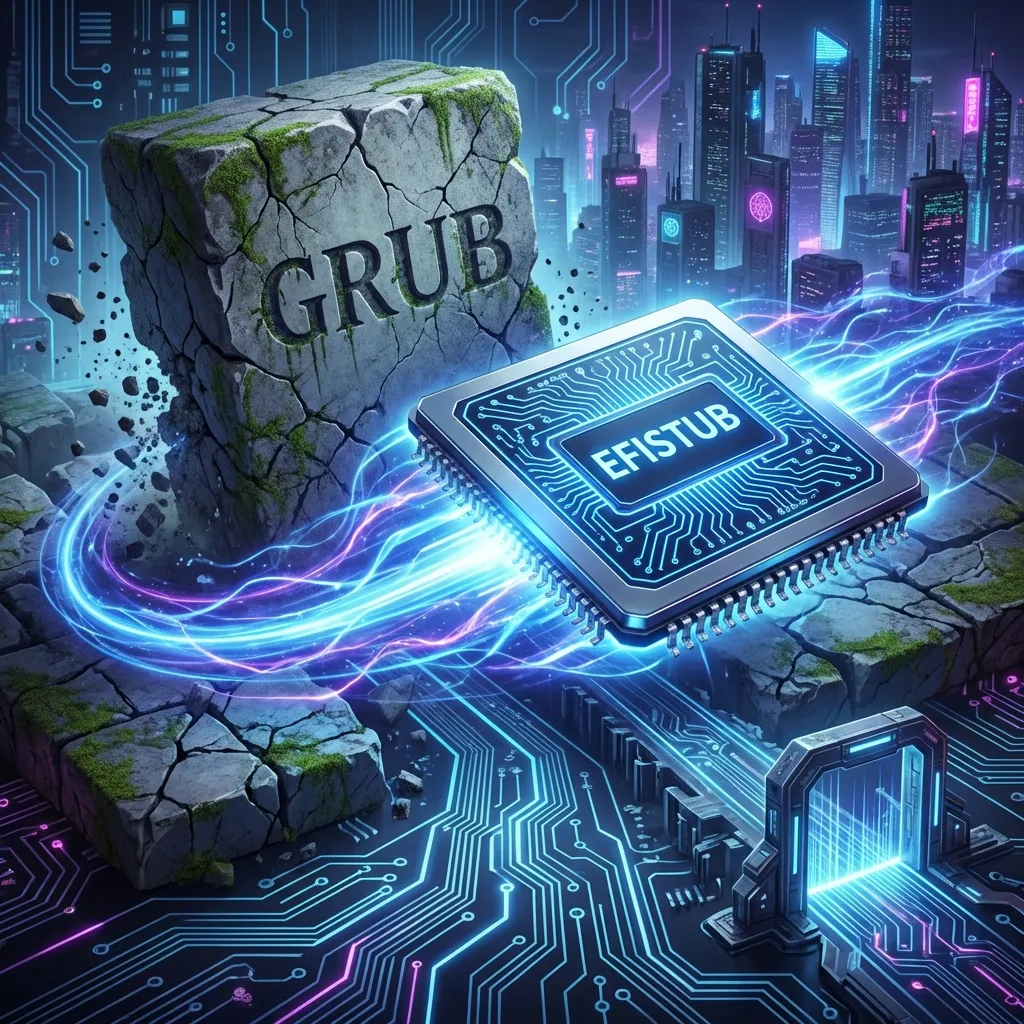
EFISTUB: Ditching GRUB
GRUB is amazing. It's also bloated, complex, and slow.
When building Argo OS, I asked: "Why do I need a piece of software to load another piece of software to load the kernel? Why can't the motherboard just load the kernel?"
It turns out, it can. The Linux kernel has a feature called EFISTUB (EFI Boot Stub) that makes the kernel look like a valid EFI executable (like .exe on Windows).
The Bloat of GRUB
A typical boot chain:
- UEFI initializes hardware.
- UEFI loads
grubx64.efi. - GRUB initializes display stuff.
- GRUB reads config, loads modules.
- GRUB creates a menu.
- GRUB loads kernel and initramfs.
- GRUB jumps to kernel.
That's a lot of steps. Each step adds time. Each step is a potential failure point.
What GRUB does well:
- Multi-boot (Windows + Linux)
- Boot menus with timeout
- Rescue mode for broken systems
- Graphical themes
What GRUB doesn't do well:
- Be fast
- Be simple
If you're running a single OS and you know what you're doing, GRUB is overhead.
The Direct Approach
With EFISTUB, the chain becomes:
- UEFI initializes hardware.
- UEFI loads
vmlinuz.efi(The Kernel).
That's it.
The kernel is the bootloader. UEFI finds it on the EFI partition, loads it into memory, and executes it. No intermediary.
The Hardware That Forced My Hand
Here's a story that nobody tells you about EFISTUB: sometimes it's not optional.
I have a test machine—an i7-4771 (Haswell, 2013)—that I use as a lab for breaking things. It's got 32GB RAM and an NVMe SSD that I added via PCIe adapter.
The problem: the i7-4771's BIOS can't boot GRUB from NVMe.
I spent two days on this. GRUB would install fine. The EFI partition was correct. The NVMe showed up in the BIOS. But when I tried to boot...
error: no such device: <UUID>
grub rescue>
The BIOS could see the NVMe. GRUB's EFI binary could load. But GRUB's modules couldn't find the filesystem on the NVMe to load the kernel.
This is a known quirk with older Haswell systems. The UEFI implementation doesn't properly expose NVMe devices to EFI applications in a way that GRUB can traverse. The firmware is just old enough to not work.
The fix? Skip GRUB entirely.
UEFI itself can load files from the NVMe (that's how it loads GRUB's .efi). So if the kernel is an EFI binary (EFISTUB), UEFI can load it directly without GRUB needing to understand the filesystem.
efibootmgr --create --disk /dev/nvme0n1 --part 1 \
  --label "Argo OS (Tau-Beta)" \
  --loader '\vmlinuz-6.6.13-gentoo' \
  --unicode 'root=/dev/nvme0n1p3 rootflags=subvol=/@ ro initrd=\initramfs-6.6.13-gentoo.img quiet'
It booted. First try.
The irony: I was forced into the faster, simpler solution by hardware limitations.
Implementation on Gentoo
First, enable EFISTUB in the kernel config:
Processor type and features  --->
    [*] EFI runtime service support
    [*]   EFI stub support
    [ ]     EFI Mixed Mode Support
Don't enable Mixed Mode unless you have a 32-bit UEFI with a 64-bit CPU (extremely rare).
After compiling the kernel, use efibootmgr to tell the motherboard's NVRAM about our kernel.
# Install the tool
emerge sys-boot/efibootmgr

# Create the boot entry
efibootmgr --create --disk /dev/nvme0n1 --part 1 \
  --label "Argo OS" \
  --loader '\vmlinuz-6.6.13-gentoo' \
  --unicode 'root=/dev/nvme0n1p3 rootflags=subvol=/@ ro initrd=\initramfs-6.6.13-gentoo.img quiet splash'
Key parts:
--disk /dev/nvme0n1 --part 1: The EFI System Partition (ESP).--label "Argo OS": What shows up in BIOS boot menu.--loader: Points directly to the kernel file on the EFI partition.--unicode: Passes the kernel command line parameters (root filesystem, subvolumes, etc.) directly to the kernel.
The Kernel Command Line
Since there's no GRUB menu, you need to put everything in the --unicode parameter:
root=/dev/nvme0n1p3        # Root filesystem device
rootflags=subvol=/@        # Btrfs subvolume to mount as root
ro                         # Mount read-only initially (remounted rw later)
initrd=\initramfs-...      # Path to initramfs on EFI partition
quiet                      # Suppress most boot messages
splash                     # Use Plymouth if installed
Other useful options:
loglevel=3                 # Only show errors
nvidia-drm.modeset=1       # For NVIDIA cards (required for Wayland)
nowatchdog                 # Disable watchdog timers (quieter boot)
mitigations=off            # Disable CPU vulnerability mitigations (DANGEROUS, but fast)
Handling Initramfs
This is the tricky part. GRUB usually tells the kernel where the initramfs is. With EFISTUB, the UEFI firmware isn't smart enough to do that on its own.
We pass initrd=\initramfs... in the command line args. The kernel's EFI stub code reads this, asks the UEFI firmware to load that file from the same partition into RAM, and then hands it to the kernel real-mode entry point.
Key requirements:
- The initramfs must be on the EFI partition (FAT32)
- The path uses backslashes (EFI convention)
- The file must be accessible before root is mounted
This means copying the initramfs to your ESP after every kernel update:
# After building kernel
cp /boot/vmlinuz-* /boot/efi/
cp /boot/initramfs-* /boot/efi/

# Update NVRAM if kernel version changed
efibootmgr --delete-bootnum --bootnum 0001  # Delete old entry
efibootmgr --create --disk /dev/nvme0n1 --part 1 \
  --label "Argo OS" \
  --loader '\vmlinuz-6.12.5-gentoo' \
  --unicode 'root=/dev/nvme0n1p3 rootflags=subvol=/@ ro initrd=\initramfs-6.12.5-gentoo.img quiet'
The Fallback Strategy
EFISTUB is dangerous. If you break the kernel, there's no rescue menu.
My safety net:
- Keep two kernel versions. Each gets its own NVRAM entry:
efibootmgr --create --label "Argo OS (current)" --loader '\vmlinuz-6.12.5-gentoo' ...
efibootmgr --create --label "Argo OS (backup)" --loader '\vmlinuz-6.11.4-gentoo' ...
- Set boot order so current is first, backup is second:
efibootmgr --bootorder 0001,0002,0003
Know your BIOS key. On my systems:
- i7-4790K desktop:
F12for boot menu - i7-4771 Tau-Beta:
F8for boot menu - Most ASUS boards:
F8 - Most Dell:
F12
- i7-4790K desktop:
Have a live USB ready. If both kernels fail, boot from USB and fix.
Automation with Installkernel
Gentoo has a hook system for automating this. Create /etc/kernel/postinst.d/50-efistub:
#!/bin/bash
# Copy kernel and initramfs to ESP after installation

KERNEL_VERSION="$1"
KERNEL_IMAGE="$2"
INITRAMFS="/boot/initramfs-${KERNEL_VERSION}.img"
ESP="/boot/efi"

cp "$KERNEL_IMAGE" "$ESP/vmlinuz-${KERNEL_VERSION}"
cp "$INITRAMFS" "$ESP/initramfs-${KERNEL_VERSION}.img"

# Optional: Update NVRAM entry
# (Only if you want to auto-switch to new kernels)
Make it executable:
chmod +x /etc/kernel/postinst.d/50-efistub
Now every emerge gentoo-sources && make && make install automatically updates the ESP.
Unified Kernel Images (UKI)
For the truly paranoid, there's a newer approach: Unified Kernel Images.
A UKI bundles the kernel, initramfs, and command line into a single signed EFI binary. The UEFI firmware loads one file, and everything is there.
# Install ukify (systemd tool, works on OpenRC too)
emerge sys-boot/ukify

# Create a UKI
ukify build \
  --linux=/boot/vmlinuz-6.12.5-gentoo \
  --initrd=/boot/initramfs-6.12.5-gentoo.img \
  --cmdline='root=/dev/nvme0n1p3 rootflags=subvol=/@ ro quiet' \
  --output=/boot/efi/EFI/Linux/argo-os.efi
Benefits:
- Single file to manage
- Can be Secure Boot signed
- Tamper-resistant (hash verification)
Drawbacks:
- Larger file size
- Need to rebuild for any change (kernel, initramfs, or cmdline)
- Slightly more complex tooling
I haven't switched to UKI yet. Plain EFISTUB works fine for my use case.
The Result
My boot time from "Power Button" to "KDE Plasma Desktop" went from 14 seconds to 8 seconds.
There is no menu. No countdown. You press power, you see the manufacturer logo for a moment, and then you are at the login screen.
Breakdown:
- UEFI POST: ~3 seconds
- Kernel + initramfs load: ~1 second
- Kernel init to KDE: ~4 seconds
Compare this to GRUB:
- UEFI POST: ~3 seconds
- Load GRUB: ~1 second
- GRUB menu timeout: ~3 seconds (or more)
- GRUB loads kernel: ~1 second
- Kernel init to KDE: ~4 seconds
The GRUB menu timeout alone is half the savings. But even with timeout=0, GRUB adds a full second of module loading, filesystem detection, and config parsing.
When NOT to Use EFISTUB
Keep GRUB if:
- You dual-boot Windows and Linux
- You need a recovery menu
- You're on a server that needs remote BMC/IPMI access to boot menu
- You frequently swap kernels for testing
- You're new to Linux and still learning
Use EFISTUB if:
- Single OS, single kernel
- You want maximum boot speed
- Your hardware can't boot GRUB properly (like my i7-4771)
- You understand the risks and have fallback strategies
The Philosophy
It's dangerous—if I break the kernel, I have to mash F12 to pick an older entry from the BIOS menu (which I manually add as backups)—but for a focused, purpose-built OS like commander, it's the ultimate optimization.
Every layer you remove is:
- One less thing to configure
- One less thing to break
- One less thing between you and a working system
GRUB is a fantastic piece of software. But if you don't need it, you don't need it.
The kernel can boot itself. Let it.
This post is part of the Argo OS Technical Guides series.