
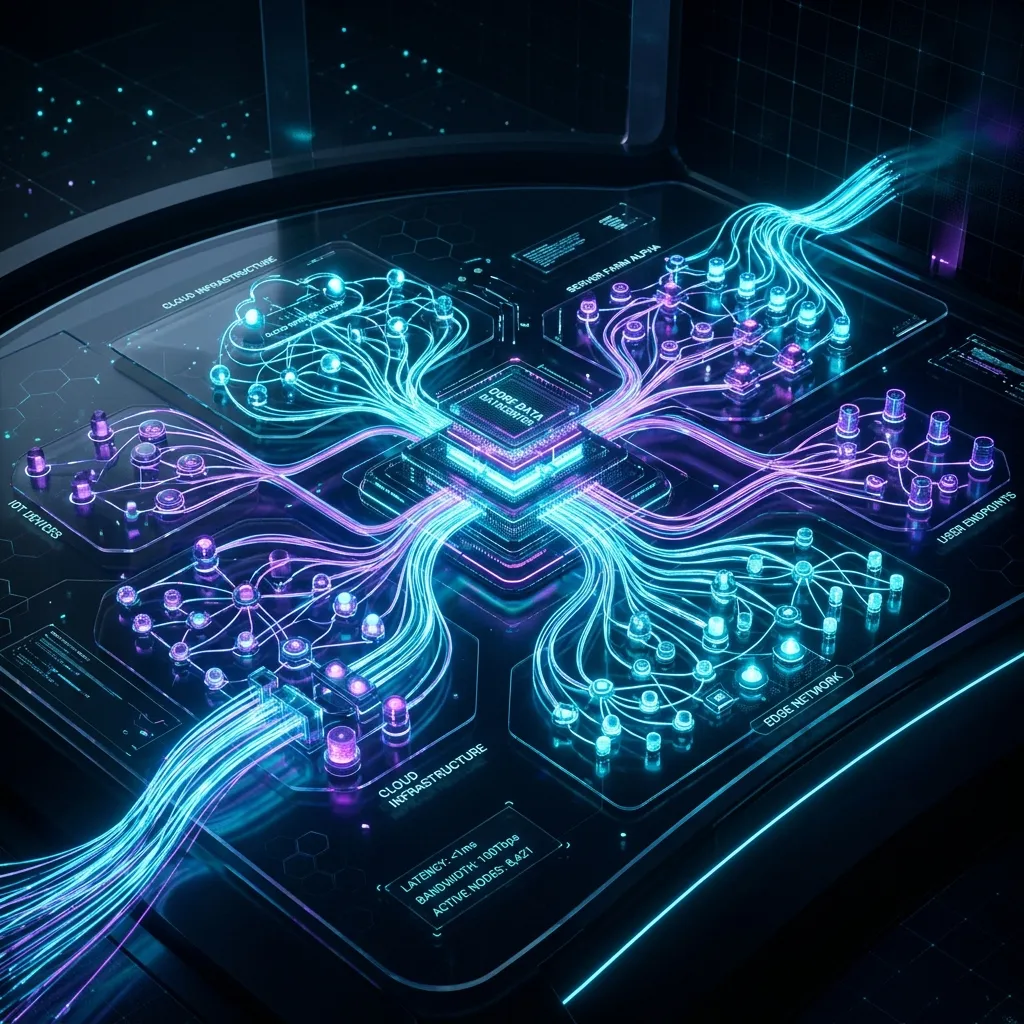
My Homelab Dashboard Has a 3D Network Map
Every homelab dashboard looks the same. Grid of service icons with colored dots. Green means up. Red means down. Maybe a status page. Maybe some charts.
I wanted something different. I wanted to see my network in 3D. Rotate it. Zoom in. Click a node and see what's running on it. Ask the dashboard questions in plain English and get real answers.
Nexus is an AI-native homelab dashboard with a 3D network topology map, 9 drag-and-drop widget types, and a chat interface where I can talk to my infrastructure. Built with Next.js 15 and React Three Fiber. SQLite for persistence. Zero telemetry. Fully self-hosted.
The 3D Topology
This is the feature that makes people stop and look.
React Three Fiber renders an interactive 3D scene showing every device on the network. Servers, containers, switches, access points, IoT devices -- each one represented as a node in 3D space. Color-coded by device type. Animated health indicators pulsing on each node.
Rotate with your mouse. Zoom with the scroll wheel. Click a node and a detail panel slides out showing:
- Device name and IP
- Service type and status
- Response time history
- Active health check results
- Running containers (if applicable)
The topology isn't just pretty. It's functional. When something goes down, you see it immediately -- a node changes color, the health indicator stops pulsing. In a flat grid dashboard, a red dot on row 47 is easy to miss. In 3D space, a dead node stands out.
The scene components:
NetworkScene.tsx-- the main Three.js canvas and camera controlsNodeDetailPanel.tsx-- the slide-out info panel when you click a nodeTopologyControls.tsx-- camera position presets, zoom controls, layout togglesTopologyLegend.tsx-- color coding reference by device type
Layout is automatic. Nodes position themselves based on network relationships. Devices on the same subnet cluster together. Gateway nodes sit at connection points. The result looks like an actual network diagram, not a random scatter of dots.
9 Widget Types
The dashboard is a drag-and-drop grid. Each cell can hold a widget. Nine types to choose from.
Stat Card -- single metric with label, value, and trend indicator. CPU usage, memory, disk space, container count. Clean and compact.
Line Chart -- time-series data with smooth curves. Network throughput, response times, temperature trends. Recharts handles the rendering with proper axes and tooltips.
Bar Chart -- categorical comparisons. Storage by volume, containers by host, bandwidth by service. Same Recharts foundation with a different visual.
Gauge -- circular progress indicator. Good for percentage values. CPU at 73%. Disk at 45%. Memory at 89%. The visual weight makes high values feel urgent.
Service Grid -- compact grid of service tiles with health status. Each tile shows the service name, an icon, and a colored status indicator. This is the closest to a traditional dashboard view, but it's one widget among nine, not the whole interface.
Alerts Feed -- chronological list of recent alerts and events. Service went down at 3:47am. Response time exceeded threshold at 2:12pm. Container restarted at 11:30am. Scrollable, filterable, timestamped.
Uptime Widget -- tracks how long each service has been continuously running. Shows uptime percentage over configurable periods. 99.97% over 30 days. 100% over 7 days.
Markdown Note -- freeform text widget. Write notes, reminders, runbooks, or quick reference docs right on your dashboard. Renders full Markdown with headers, links, code blocks.
Iframe Embed -- embed any web page as a widget. Point it at Grafana, Portainer, your router admin page, or any other web UI. The dashboard becomes a portal to everything.
The AddWidgetModal component lets you browse widget types, configure options, and drop them onto the grid. Drag to reposition. Resize handles on corners and edges. The layout persists in SQLite so your dashboard survives restarts.
The AI Assistant
This is where Nexus diverges from every other homelab dashboard.
Open the chat panel. Type "Are all my services healthy?" and get a real answer. Not a link to a status page. An actual response that checked every service and summarized the results.
The AI assistant has tool-use capabilities. It can:
- Check service health -- ping endpoints, verify response codes
- View metrics -- pull current CPU, memory, disk, and network stats
- Manage alerts -- acknowledge, silence, or escalate active alerts
- Scan the network -- discover new devices, check connectivity
It's backed by the Vercel AI SDK with multi-provider support:
- OpenAI -- GPT-4o and friends
- Anthropic -- Claude models
- Groq -- fast inference, free tier available
- Ollama -- fully local, zero cloud dependency
- OpenRouter -- access to dozens of models through one API
Pick whichever provider fits. Want everything local? Point it at Ollama and the entire dashboard runs without touching the internet. Want the smartest model available? Use Claude or GPT-4o.
The AI tools are defined as typed function-calling interfaces. Each plugin can register its own tools. The Proxmox plugin adds "list VMs," "check node status," "view storage." The Docker plugin adds "list containers," "restart container," "view logs." The AI knows what tools are available and calls them when the question requires it.
5 Built-In Plugins
Nexus has a plugin system. Not "config files that enable features." Actual plugins with a typed interface, lifecycle hooks, and the ability to register widgets, AI tools, health checkers, and configuration UI.
Proxmox Plugin
Connects to your Proxmox VE cluster. Provides:
- VM and container listing
- Node health monitoring
- Storage utilization widgets
- AI tools for querying cluster state
- Custom health checks for PVE services
Docker Plugin
Monitors Docker hosts. Provides:
- Container listing with status
- Image inventory
- Resource usage per container
- AI tools for container management
Tailscale Plugin
Reads your Tailscale network. Provides:
- Device inventory and online status
- Network topology data (feeds the 3D map)
- Last seen timestamps
- AI tools for checking mesh connectivity
Cloudflare Plugin
Integrates with your CF account. Provides:
- Zone listing and DNS record management
- Traffic analytics widgets
- Domain status monitoring
Uptime Kuma Plugin
Imports monitors from an existing Uptime Kuma instance. Provides:
- Status synchronization
- Historical uptime data
- Alert bridging (Uptime Kuma alerts flow into Nexus)
The Plugin API
Building a new plugin is straightforward. The NexusPlugin interface defines everything:
const myPlugin: NexusPlugin = {
  id: 'my-plugin',
  name: 'My Plugin',
  version: '1.0.0',
  description: 'What it does',
  author: 'You',
  icon: 'puzzle',

  widgets: [],        // Dashboard widgets
  aiTools: [],        // AI function-calling tools
  healthCheckers: [], // Custom health check logic
  settingsSchema: {}, // Plugin configuration UI
};
Lifecycle hooks: onInstall, onEnable, onDisable. Each receives a PluginContext with a logger and settings store.
The aiTools array is the interesting part. Each tool has a name, description, parameters schema, and an execute function. When the AI assistant gets a question that matches a tool's description, it calls the execute function with the right parameters. The plugin handles the actual integration work.
Health checkers follow a similar pattern. Register a service type and a check function. Nexus calls the function on a configurable interval and records the result: healthy, degraded, or down. Response time tracked automatically.
This means the community can build plugins for anything. Unraid, TrueNAS, pfSense, Pi-hole, Home Assistant. If it has an API, someone can write a Nexus plugin for it.
Service Monitoring
Every service registered in Nexus gets automatic health monitoring. Two check types:
HTTP checks -- hit the service URL, verify the response code, measure response time. Configurable success codes (200, 204, 301, etc.), timeout thresholds, and check intervals.
TCP checks -- open a socket to the host and port, verify the connection succeeds, measure time to connect. Good for services that don't speak HTTP -- databases, MQTT brokers, game servers.
When a check fails, Nexus creates an alert. The alerts feed widget shows it. The notification system can push it to Discord, Slack, or a custom webhook endpoint. The AI assistant knows about it and will mention it if you ask about service health.
Response time history is stored in SQLite. The line chart widget can plot it over time. Spot degradation trends before they become outages.
The Stack
| Layer | Technology |
|---|---|
| Framework | Next.js 15 with App Router and Turbopack |
| Language | TypeScript (strict mode) |
| Styling | Tailwind CSS 4 |
| State Management | Zustand |
| 3D Rendering | React Three Fiber + Three.js |
| Charts | Recharts |
| Database | SQLite via better-sqlite3 + Drizzle ORM |
| Authentication | NextAuth.js v5 |
| AI | Vercel AI SDK (multi-provider) |
| Real-time | Socket.IO for live updates |
| UI Components | cmdk (command palette), Framer Motion (animations), Lucide (icons), Sonner (toasts) |
Next.js 15 with Turbopack means dev server starts are fast. The App Router gives me server components where they make sense and client components where interactivity demands it. The 3D topology is fully client-side. Service monitoring runs server-side.
Drizzle ORM on top of better-sqlite3 gives me typed database queries without the overhead of PostgreSQL. For a single-user homelab dashboard, SQLite is the right choice. No separate database server. No connection pool management. One file on disk.
Why Not Homepage, Homarr, or Dashy?
I've used all three. They're good at what they do. Service bookmarks with status indicators. Homepage is YAML-configured and fast. Homarr has drag-and-drop. Dashy has theming.
None of them have an AI assistant. None of them render your network in 3D. None of them have a plugin API that lets third parties add widgets and AI tools. None of them combine monitoring, visualization, and natural language interaction in one interface.
That's the gap Nexus fills. It's not a replacement for Grafana (which handles metrics at scale). It's not a replacement for Uptime Kuma (which is excellent at uptime monitoring specifically). It's the front door to your homelab. The thing you open first. The place where you get a holistic view before diving into specialized tools.
Deployment
Docker Compose. One command.
docker compose up -d
Open http://localhost:3000. Create your admin account. Start adding services and widgets. The setup wizard walks you through connecting your first plugin.
Everything runs in a single container. Next.js server, SQLite database, Socket.IO for real-time updates. No external dependencies. No Redis. No PostgreSQL. No message queue. One container, one volume mount for the database, done.
What's Next
The plugin ecosystem is the growth vector. Five built-in plugins cover the most common homelab services. But the API is ready for more:
- Unraid -- array status, share management, VM control
- pfSense / OPNsense -- firewall rules, traffic analysis, VPN status
- Home Assistant -- smart home device status, automation triggers
- Pi-hole -- DNS query stats, blocklist management
- Prometheus -- native metric ingestion for the chart widgets
The 3D topology also has room to grow. Right now it's a static layout computed from network relationships. Future plans include animated traffic flow between nodes, historical replay of network state, and VR support for the true "walk through your network" experience.
And the AI assistant keeps getting smarter as plugins add tools. More plugins means more capabilities. Eventually, "restart the Docker container running on Kronos that's using the most memory" should just work.
Nine widget types. Five plugins. A 3D network map. An AI that talks to my infrastructure. All self-hosted, all open, all mine.
That's what a homelab dashboard should be.