
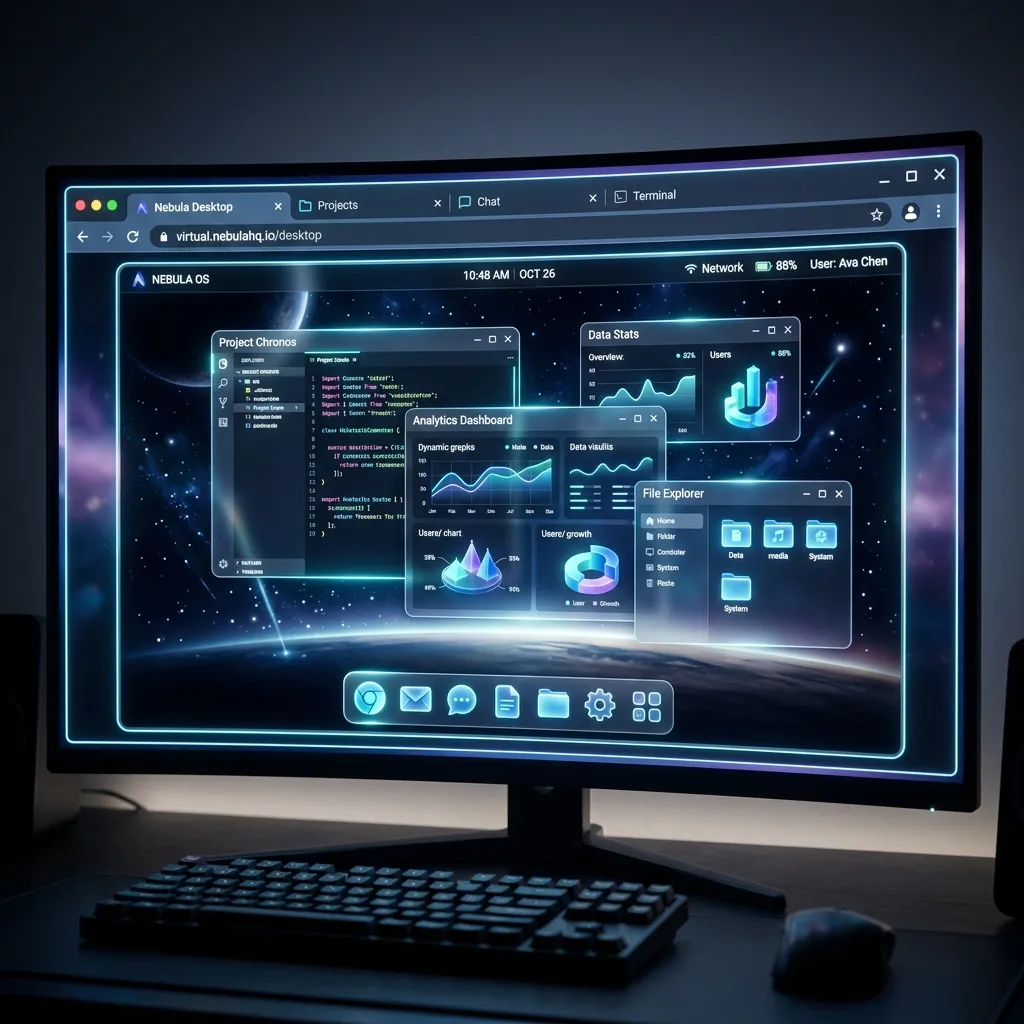
I Built a Desktop OS That Runs in the Browser
Open a browser tab. Full-screen KDE Plasma desktop loads. 31 apps in the start menu. Click Jellyfin and it opens in a window. Click Grafana and there's another window. Terminal app spawns a real PTY shell on the homelab box. File manager shows your actual home directory.
All of it running on Cloudflare Pages. Not an Electron app. Not a VM. A real multi-user desktop experience served from the edge.
This is ArgoBox OS.
What It Actually Is
ArgoBox OS is a browser-based desktop environment that wraps real self-hosted services into a unified interface. Think of it like a web-based KDE Plasma, except every app in the start menu is a real containerized service running on physical hardware.
The frontend is Astro, deployed to Cloudflare Pages. The backend is a container orchestrator running on argobox-lite, my dedicated homelab server. Between them sits a Cloudflare Tunnel with 27 routes, 24 of which are running clean right now.
When you click "Sonarr" in the start menu, it doesn't load a mock UI. It opens an iframe pointing at the real Sonarr instance, routed through a Cloudflare tunnel with proper auth headers. Same for Jellyfin, Grafana, Radarr, SABnzbd, and the other 26 services.
The Architecture
Three layers. Each one handles a specific concern.
Layer 1: The Frontend (Cloudflare Pages)
The desktop itself is a static Astro build. Taskbar at the bottom. Start menu in the corner. Window management with drag, resize, minimize, maximize. Multiple virtual desktops. System tray with clock and notifications.
It looks and feels like KDE Plasma because that was the goal. Not "inspired by" -- directly modeled after it. I wanted the experience of sitting down at a Linux desktop, except the desktop is a URL.
The service registry contains all 31 apps with their tunnel URLs, icons, categories, and access levels. Each app knows its HTTPS endpoint and which user roles can see it.
Layer 2: The Container Orchestrator (argobox-lite)
On argobox-lite at 10.0.0.199, a container orchestrator manages the actual services. Each user gets systemd-nspawn isolation. The orchestrator exposes an authenticated API on port 9000 with bearer token enforcement.
This isn't Docker Compose with a nice wrapper. It's per-user container isolation. When you launch a terminal, you get a PTY shell scoped to your user space. When you browse files, you see your home directory. The multi-tenancy is real.
The orchestrator handles:
- Container lifecycle (start, stop, restart)
- Health monitoring for each service
- Port mapping and routing
- Per-user namespace isolation
- Resource limits per container
Layer 3: Cloudflare Tunnel + Access
The magic glue. A Cloudflare Tunnel with ID 907e341c-... routes 27 subdomains to their corresponding container ports. Jellyfin goes to jellyfin.argobox.com, which the tunnel maps to localhost:8096 on argobox-lite.
Cloudflare Access sits in front of everything. Authentication happens via email, Google, or SAML. Authorization happens via a KV store (data:user-roles) that maps emails to roles: admin, member, or demo.
Demo mode is real. Public visitors can open the OS and see the desktop. They get a restricted app set, no terminal access, and read-only file browsing. Enough to be impressed. Not enough to break anything.
The Numbers
| Component | Count |
|---|---|
| Container apps in start menu | 31 |
| Cloudflare tunnel routes | 27 |
| Working routes | 24 (89%) |
| User roles | 3 (admin, member, demo) |
| Authentication providers | 3 (email, Google, SAML) |
The 3 broken routes are container config issues, not tunnel problems. Healthchecks needs ALLOWED_HOSTS in Django. SABnzbd has an API auth mismatch. Finance module needs initialization. Infrastructure is solid -- just container-level tweaks.
User Management
I built a user management API endpoint at POST /api/admin/users. Dead simple.
curl -X POST https://os.argobox.com/api/admin/users \
  -H "Content-Type: application/json" \
  -d '{
    "email": "[email protected]",
    "displayName": "Bogart",
    "role": "member",
    "osProfile": "homelabber"
  }' \
  --cookie "CF_Authorization=<token>"
Returns HTTP 201 with the created user record. The osProfile field controls which default app set loads. A homelabber sees Portainer, Grafana, and terminal access. A media profile sees Jellyfin, Sonarr, Radarr. Custom service lists are supported too -- pass a services array to lock someone to specific apps.
The beauty of the KV-based auth is speed. Cloudflare KV reads are single-digit milliseconds at the edge. No database round-trip. No session table lookup. User opens the OS, CF Access confirms identity, KV lookup returns role and profile, desktop loads with the right apps. The whole auth chain is under 50ms.
How the Start Menu Works
The service registry is a TypeScript module that defines all 31 apps.
Each entry specifies:
- Display name and icon
- Category (Media, Monitoring, Downloads, Utilities, etc.)
- Tunnel URL (the public
*.argobox.comendpoint) - Required role level
- Whether it opens in an iframe window or a dedicated component
The start menu renders dynamically based on the authenticated user's role. Admins see everything. Members see their profile's app set. Demo users see a curated selection. No hidden apps leaking through -- the filtering happens server-side during the Astro render.
Clicking an app triggers the window manager. New window appears with a titlebar, the app name, and the iframe content. You can drag it around, snap it to edges, minimize to the taskbar, or go full-screen. Multiple apps open simultaneously.
Terminal and File Manager
These two deserve their own section because they aren't iframes. They're custom components that talk directly to the container orchestrator.
The terminal connects via WebSocket to argobox-lite. It spawns a real PTY session in your isolated namespace. You get a full bash shell with access to your user's filesystem. xterm.js renders the terminal in the browser. Tab completion works. Vim works. htop works.
Current protocol is JSON over WebSocket. Functional but not optimal. The roadmap includes a binary WebSocket protocol targeting sub-20ms latency and 50x message size reduction. Ten opcodes covering input, output, resize, heartbeat, and session recovery. That's a future sprint, though. JSON works fine for now.
The file manager shows your real home directory. Browse, navigate, view file metadata. It's read-only in the current build, but the AsyncFileSystemAdapter is designed and ready for write operations. Virtual scrolling for directories with 10,000+ files is planned but not yet implemented.
Cloudflare Tunnel Deep Dive
Setting up 27 tunnel routes was an exercise in patience. Each route maps a subdomain to a local port on argobox-lite.
The tunnel config lives at [email protected]:/home/argonaut/.cloudflared/config.yml. It's a long YAML file. Each ingress rule specifies the hostname, the backend service URL, and optional origin request settings.
What surprised me is how stable it is. 24 out of 27 routes just work. The tunnel maintains persistent connections and automatically reconnects on interruption. Latency overhead is minimal -- maybe 5-10ms over direct access.
The three failures taught me something. Tunnel debugging is about the container, not the tunnel. If a Django app returns 400 Bad Request, the tunnel delivered the request correctly. The app just didn't like the hostname header. Fix the app config, not the tunnel.
Demo Mode
I'm proud of this one. When a non-authenticated visitor opens ArgoBox OS, they land in demo mode. Full desktop experience. Taskbar, start menu, window management. But the app list is restricted, terminal is disabled, and file browsing is read-only.
This matters because it makes the project shareable. I can hand someone a URL and they see a working desktop. Not a screenshot. Not a video. The real thing, running live, with real windows they can open and interact with.
Demo mode was crashing initially. Fixed that. Now it handles unauthenticated users gracefully -- CF Access detects no valid session, the KV lookup returns a demo profile, and the desktop renders with the restricted set. Clean fallback, zero errors.
What I Learned
Cloudflare's edge is stupid fast for this. Static assets serve from 300+ PoPs worldwide. The Astro build is small. The KV lookups are edge-local. First meaningful paint is fast even on bad connections.
systemd-nspawn is underrated. Docker gets all the attention, but nspawn containers with proper namespace isolation give you something closer to lightweight VMs. Real process trees, real filesystem isolation, real user separation. For a multi-user OS environment, it's exactly right.
Iframe-based app embedding has limits. Some apps set X-Frame-Options: DENY. Some have CORS issues. Some break when their URL is different from what they expect. 24 out of 27 working is good. Getting to 27 out of 27 means working through each app's individual quirks.
KV-based authorization is the right call. I considered putting roles in D1 (Cloudflare's SQL database). But KV is faster, simpler, and the data model is trivial -- one key per user with a JSON blob of roles and permissions. For authorization (not authentication, which CF Access handles), KV is perfect.
The 31 Apps
Might as well list them. Every one of these is a real running container behind its own tunnel route.
Media: Jellyfin, Plex, Sonarr, Radarr, Lidarr, Bazarr, Overseerr, Tautulli. The full media stack. Request a show from Overseerr, Sonarr grabs it, Jellyfin serves it.
Downloads: SABnzbd, qBittorrent, Prowlarr. Indexer management and download clients.
Monitoring: Grafana, Prometheus, Uptime Kuma, Healthchecks. Full observability stack. Dashboards, metrics, alerting.
Infrastructure: Portainer, Gitea, FileBrowser, code-server. Container management, git hosting, file access, and remote IDE.
Networking: Pi-hole, Cloudflare Dashboard, WireGuard. DNS, CDN management, and VPN.
Productivity: Nextcloud, Vaultwarden, BookStack. Cloud storage, password management, wiki.
And a few more utilities rounding out the collection.
Each app has an icon, a category, and a required role level. The start menu groups them by category. Admin sees everything. Members see their assigned set. Demo sees the curated highlights.
The Window Manager
I didn't want bare iframes. I wanted windows that behave like a real desktop.
The window manager handles:
- Drag -- grab the titlebar, move the window anywhere
- Resize -- drag corners or edges to resize
- Minimize -- click the minimize button, window collapses to the taskbar
- Maximize -- double-click the titlebar or click maximize, window fills the screen
- Close -- click X, window disappears, resources freed
- Z-ordering -- click a window to bring it to front
- Taskbar -- every open window gets a taskbar entry for quick switching
Multiple windows open at once. Jellyfin playing a movie in one window while Grafana shows resource usage in another. Terminal in a third. The whole point is multitasking across services like you would on a real desktop.
What's Next
The immediate punch list is small:
- Fix those 3 broken tunnel routes (container config, not infra)
- Add a custom domain (
os.argobox.com) - Onboard the first non-admin user
After that, bigger items:
- Durable Objects for terminal session persistence (survive CF isolate restarts)
- Binary WebSocket protocol for sub-20ms terminal latency
- File manager write operations via the AsyncFileSystemAdapter
- Virtual scrolling for large directories
- KDE Plasma UI polish -- more animations, better window snapping
The foundation is solid. 31 apps, multi-user isolation, edge-deployed frontend, tunnel-routed backend. Everything a desktop needs, nothing a desktop usually can't do in a browser.
I built a desktop OS that runs in a browser tab. And it actually works.