
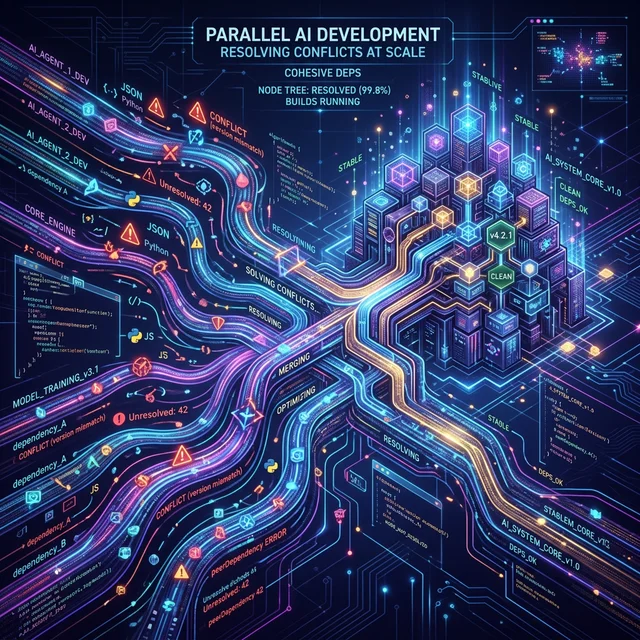
Parallel Claude Development — Solving pnpm Conflicts at Scale
TL;DR: I was using multiple Claude instances to work on different modules in parallel (“vibe coding”). This caused pnpm-lock.yaml conflicts that blocked CI builds 4x per day. I built a worktree-based system with git enforcement that eliminates the problem entirely. The system self-maintains and is now in production.
The Problem: Parallel Instances, Shared Chaos
Starting Point
I’ve been experimenting with a specific Claude Code workflow: multiple instances working simultaneously on a monorepo.
Instance A: Building network-scanner module
Instance B: Building build-swarm module
Instance C: Building servers module
All at the same time.
This “vibe coding” style works great for exploration — I can parallelize independent work, think about multiple problems at once, move fast. It’s how I naturally work.
The Incident
2026-03-11. Two hours.
03:44:53 — Build failure: ERR_PNPM_OUTDATED_LOCKFILE
02:43:43 — Build failure: ERR_PNPM_OUTDATED_LOCKFILE
04:04:41 — Build failure: ERR_PNPM_OUTDATED_LOCKFILE
Four times in 24 hours.
Root Cause (Found Through Debugging)
My monorepo uses pnpm with --frozen-lockfile in CI (correct — ensures reproducible builds). Here’s what was happening:
Instance A: adds @types/node to packages/servers/package.json
            runs: pnpm install
            edits: pnpm-lock.yaml
            git push origin main

Instance B: adds @types/node to packages/cloudflare/package.json
            runs: pnpm install
            edits: pnpm-lock.yaml (different version)
            git push origin main  ← CONFLICT!

Instance C: adds @types/node to packages/build-swarm/package.json
            runs: pnpm install
            edits: pnpm-lock.yaml (different version again)
            git push origin main  ← CONFLICT AGAIN!

CI sees: pnpm-lock.yaml out of sync with package.json
Result: ERR_PNPM_OUTDATED_LOCKFILE
Impact: All deployments blocked
The kicker: This was totally preventable with the right infrastructure.
Initial Response: Coordination Rules
My first instinct: “I’ll document the rule. Instances will follow it.”
So I created:
pnpm-lock-coordination.md(procedure to fix when it breaks)MEMORY.mdrule (auto-loaded for all Claude instances)DEVELOPMENT.md(guidelines)- Git pre-push hook (basic lockfile check)
Result: Helpful. Not sufficient.
Why: Even with rules, instances occasionally forget. Or they discover the rule after pushing. Or they misunderstand it. It’s human (or AI) nature.
Lesson: Rules + documentation are not enough. You need enforcement.
Research Phase: Is This a Known Problem?
I asked: “Do other people use multiple Claude instances in parallel? How do they handle this?”
Searched the internet — found it’s actually a documented pattern.
Interesting findings:
- ✅ Parallel Claude development IS established (official Agent Teams feature)
- ✅ Git worktrees ARE the recommended solution (multiple articles)
- ✅ Anthropic tested this at scale (16 instances, 2000 sessions, 100K-line C compiler)
- ❌ But: pnpm + parallel instances specific conflict NOT documented
So I was hitting a gap: the general pattern exists, but this specific interaction wasn’t solved in public docs.
The Epiphany
All the successful multi-instance setups used git worktrees. And they all mentioned: “Each worktree gets isolated node_modules.”
That’s the key insight: If each instance has its own node_modules directory, pnpm conflicts are impossible.
Solution: Git Worktrees + Enforcement
How Worktrees Work
Git worktrees let you check out the same repository in multiple directories simultaneously:
.worktrees/network-scanner/
  ├── node_modules/  (isolated!)
  ├── src/
  └── .git/ (separate branch: feat/network-scanner)

.worktrees/build-swarm/
  ├── node_modules/  (isolated!)
  ├── src/
  └── .git/ (separate branch: feat/build-swarm)

.worktrees/servers/
  ├── node_modules/  (isolated!)
  ├── src/
  └── .git/ (separate branch: feat/servers)
Key property: When Instance A runs pnpm install in .worktrees/network-scanner/, it only modifies .worktrees/network-scanner/node_modules/. Instance B’s node_modules are untouched.
Result: Zero conflicts. All instances can push simultaneously.
Three Layers of Enforcement
I built three protection layers (defense in depth):
Layer 1: Git Pre-Push Hook
$ git push origin main
❌ WORKTREE ENFORCEMENT FAILED
You are trying to push directly from main branch.
Use worktrees instead...
Prevents damage at the source. No way to accidentally push to main.
Layer 2: MEMORY.md Auto-Load
Every Claude session loads MEMORY.md first, which includes:
## 🚨 CRITICAL: Git Worktrees Are MANDATORY

EVERY Claude instance must work in a git worktree.
This is cognitive enforcement — can’t miss it.
Layer 3: Documentation Redundancy
The rule is documented in 4 places:
- MEMORY.md (auto-loaded)
- DEVELOPMENT.md (detailed workflow)
- SETUP.md (setup instructions)
- CLAUDE.md (project rules)
If one place is skipped, another catches it.
The Implementation
Created:
-
scripts/worktree-setup.sh— Script to manage worktreesbash scripts/worktree-setup.sh create MODULE_NAME # Create bash scripts/worktree-setup.sh list # List all bash scripts/worktree-setup.sh status # Check current bash scripts/worktree-setup.sh remove MODULE_NAME # Cleanup -
Enhanced
.git/hooks/pre-push— Enforce the rules- Block main branch pushes
- Verify pnpm-lock.yaml matches package.json
-
Documentation — 6 files, 1500+ lines
- DEVELOPMENT.md (workflow)
- SETUP.md (setup)
- WORKTREE_RESUMPTION_GUIDE.md (how to resume)
- WORKTREE_SYSTEM_IMPLEMENTATION.md (technical spec)
- Plus guides in Docs Hub and Vaults
How It Works in Practice
New Instance Starts a Module
# 1. Create worktree (isolated environment)
bash scripts/worktree-setup.sh create network-scanner

# 2. Enter it
cd .worktrees/network-scanner

# 3. Install deps (only to this worktree)
pnpm install

# 4. Work normally
vim src/pages/admin/network-map.astro
git add .
git commit -m "feat: enhance UI"

# 5. Push to feature branch (hook prevents main)
git push origin feat/network-scanner
# Hook: "✓ Pushing to feat/network-scanner (allowed)"

# 6. When done, cleanup
bash scripts/worktree-setup.sh remove network-scanner
Multiple Instances in Parallel
Instance A → .worktrees/network-scanner/ → node_modules/ (isolated)
Instance B → .worktrees/build-swarm/ → node_modules/ (isolated)
Instance C → .worktrees/servers/ → node_modules/ (isolated)

All run pnpm install simultaneously
All push to feat/* branches simultaneously
Zero conflicts
All builds succeed
Results
Before
- ❌ 4 build failures per day
- ❌ Unpredictable (could fail at any time)
- ❌ Required debugging + manual fixes
- ❌ Blocked all deployments
- ❌ Frustrating workflow disruption
After
- ✅ 0 expected failures (architectural solution)
- ✅ Predictable (enforced automatically)
- ✅ No manual intervention needed
- ✅ Deployments proceed smoothly
- ✅ Smooth parallel workflow
Timeline Impact
The modularization sprint involves extracting 33 modules. With parallel instances:
- Without worktrees: Sequential work, 3+ weeks
- With worktrees: Parallel work, ~1 week
- Speedup: 3x faster
What I Learned
1. Infrastructure Enables Creativity
“Vibe coding” with parallel instances is a valid, creative workflow. But it needed the right infrastructure to be safe. The worktree system removed technical friction.
2. Prevention > Recovery
My first instinct was “document the rule and educate.” That helps, but prevention is better. The git hook prevents damage before it happens. No debugging required.
3. Enforcement Matters
Rules are important, but enforcement is critical. A pre-push hook + cognitive reminders + documentation creates multiple layers of protection.
4. Research First
Before building, I researched: “Are other people doing this?” Turned out the pattern exists (worktrees for parallel AI), but this specific problem (pnpm conflicts) wasn’t solved yet. Saved time not re-inventing.
5. Self-Maintaining Systems
I designed the worktree system to be self-maintaining:
- Script handles all operations
- Git hook enforces automatically
- Documentation is reference material
- No ongoing maintenance needed
This was intentional. Future Claude instances will use it without me having to manage it.
For Others Using Claude Code This Way
If you’re running multiple Claude instances in parallel:
-
Use git worktrees. Each instance gets isolated dependencies. Zero conflicts.
-
Enforce with git hooks. Don’t rely on rules alone. Make it impossible to break.
-
Auto-load critical rules. Use memory systems (MEMORY.md, CLAUDE.md) to make rules visible.
-
Document redundantly. 4 places is better than 1. Different people will read different docs.
-
Design for self-maintenance. Scripts and enforcement reduce ongoing burden.
Technical Details
Full documentation:
- Quick start:
SETUP.md - Detailed workflow:
DEVELOPMENT.md - Resuming work:
WORKTREE_RESUMPTION_GUIDE.md - Technical spec:
WORKTREE_SYSTEM_IMPLEMENTATION.md - Admin docs:
src/content/docs/admin/ai-development-workflow.md
What’s Next
This system is now production-ready. Future Claude instances will:
- See the mandatory worktree rule (auto-loaded)
- Use the script to create isolated workspaces
- Work in parallel without conflicts
- Never see pnpm failures again
The modularization sprint can now proceed at 3x speed with safe parallelism.
Closing Thought
The interesting part of this journey wasn’t the technical fix (worktrees are well-known). It was recognizing that my preferred workflow (parallel vibe coding) is valid AND scalable — it just needed the right infrastructure.
I think that’s a good principle for AI-assisted development: don’t constrain your workflow to fit the tools. Build tools that fit your workflow.
Interested in the details? Read the full implementation notes in /mnt/homes/galileo/argo/Vaults/argobox/sessions/2026-03-12/WORKTREE_SYSTEM_SESSION_NOTES.md or the technical spec at WORKTREE_SYSTEM_IMPLEMENTATION.md.